Using Batchiness to create Canvas applications using Odin
04-08-2026
What are we doing
This library, Batchiness, is part of what I often use to create canvas games like Bees and Bears. What I've found is that by batching canvas operations, I get really good framerates on the standard HTML canvas, even from web assembly.
In this post I'll be digging a little bit deeper into how to use Batchiness to help you build canvas-based web applications. I'm of course assuming you have Odin installed and ready to go. If you don't, follow the instructions on the official website for your computer and come back when you are ready.
Getting set up
I like to clone Batchiness to a local directory so that I can import it from many projects. For this example though, I'm going to use the following directory structure, where Batchiness is cloned into a vendor sub-directory inside the project itself.
project_root_dir/
├── vendor/
│   └── batchiness/
│       ├── batch/          ← the Odin package you import, copy all files here
│       └── web/
│           └── batchiness.js  ← JS glue you copy/link to your web dir
├── src/
│   └── main.odin
├── web/
│   ├── index.html
│   └── batchiness.js      ← copy from vendor/batchiness/web/
└── build.sh
For my convenience, I usually create a build.sh file so that I don't have to type the long build command each time. This build script compiles the Odin sources to Web Assembly and places the resulting binary example.wasm, in the web directory.
odin build src/ \
    -target:js_wasm32 \
    -out:web/example.wasm \
    -o:size \
    -no-entry-point
Of course, we need a main.odin for our application. We will start with the following code:
package main

import "../vendor/batchiness/batch"
import "base:runtime" // adjust relative path to match your layout

ctx: batch.Handle
cmd: batch.Buffer

@(export)
batchiness_main :: proc "c" () {
	context = runtime.default_context()
	canvas := batch.canvas_create(batch.get_element_by_id("app"), 800, 600)
	ctx = batch.canvas_get_context(canvas)
	batch.start_animation_loop(0) // callback id 0 = animation frame
}

@(export)
batchiness_invoke_callback :: proc "c" (id: u32) {
	context = runtime.default_context()
	batch.reset(&cmd)
	// --- your drawing code here ---
	batch.set_fill(&cmd, "#ff6347")
	batch.fill_rect(&cmd, 50, 50, 200, 100)
	// --------------------------------
	batch.flush(ctx, &cmd)
}
In this main.odin file, we import Batchiness and then provide the callbacks it expects. During application startup and over the lifetime of the app, batchiness_main is called to boot the application and batchiness_invoke_callback for updates.
We also need a basic index.html file, to house our web application:
<!DOCTYPE html>
<html>
<body>
    <div id="app"></div>
    <script src="./batchiness.js"></script>
    <script>Batchiness.instantiate("example.wasm");</script>
</body>
</html>
Because it's web assembly, you can't just open the index.html and see it, you need to use a basic web server. Any basic web server will do, so something like http-server, for example, is perfect. I have a custom run.sh script for convenience:
http-server ./web/ -p 9000
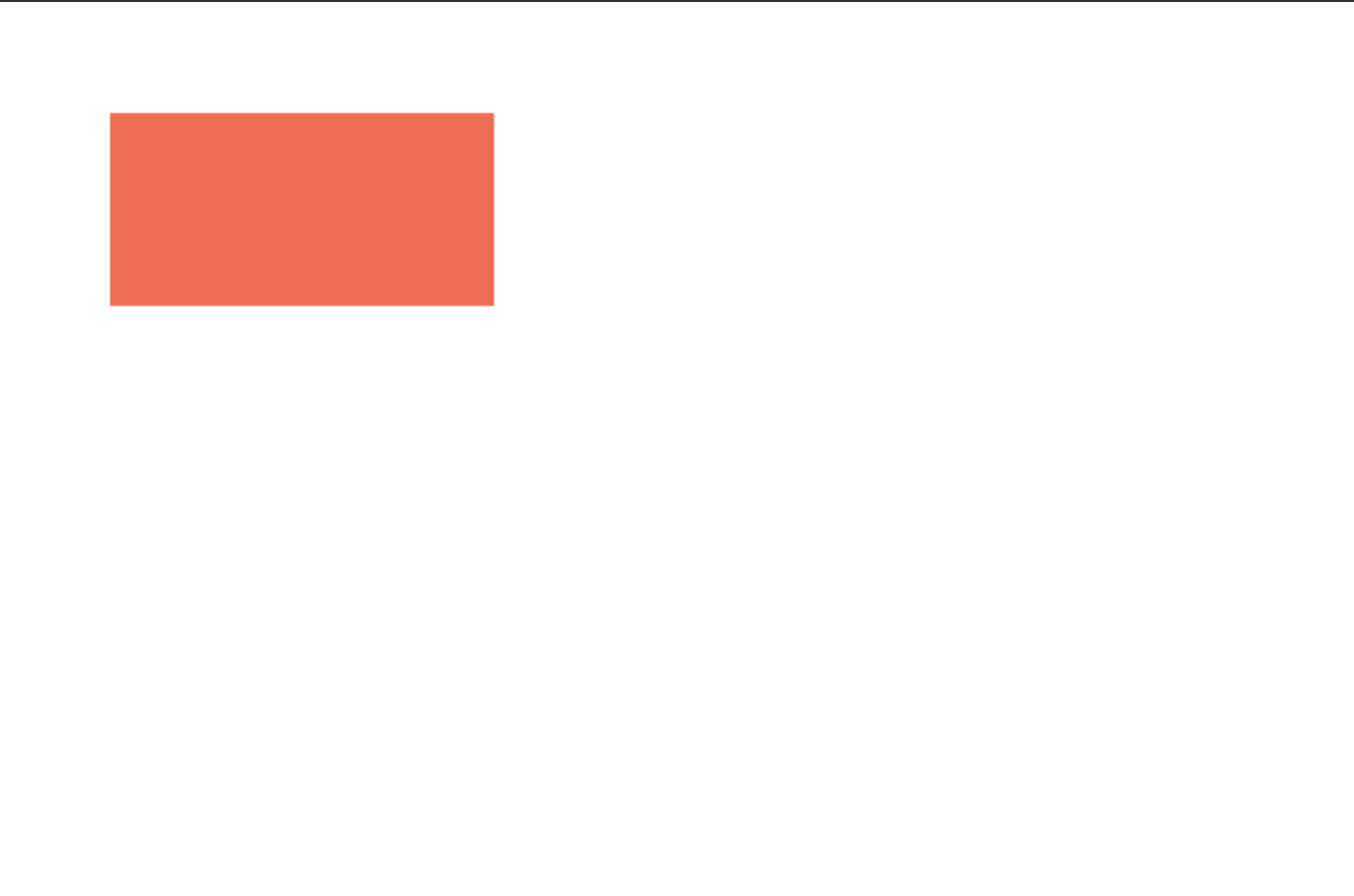
And with that, once you've built the binary, you should be able to run the app, open localhost:9000 and see a red rectangle on the screen. It should look a little like this:
Something more
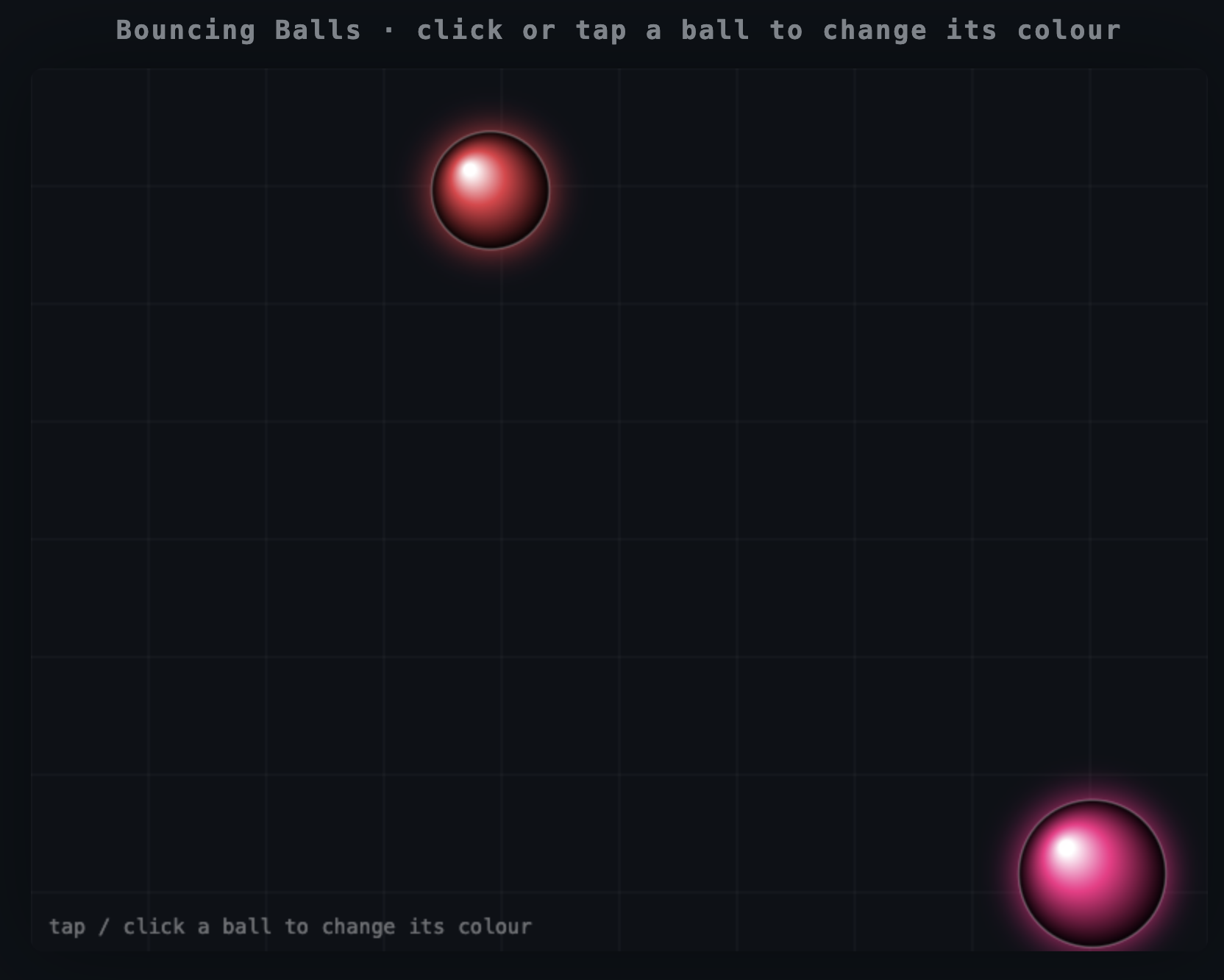
Now that we have the basics up and running, let's take it up a notch. We'll expand our application to feature two balls bouncing around the canvas. When you click or tap on them, they change colour. This shows how to use more complex canvas animation and rendering as well as how to support input.
First, we need to make some heavy changes to our main.odin file:
package main

import "../vendor/batchiness/batch"
import "base:runtime"
import "core:math"

// ------------------------------------------------------------------------------------------------
// Canvas dimensions
// ------------------------------------------------------------------------------------------------
CANVAS_W :: 800
CANVAS_H :: 600

// ------------------------------------------------------------------------------------------------
// Callback IDs
// ------------------------------------------------------------------------------------------------
CB_FRAME :: 0
CB_CLICK :: 1

// ------------------------------------------------------------------------------------------------
// Ball colours — two palettes, one per ball, cycled on click
// ------------------------------------------------------------------------------------------------
BALL_COLOURS := [2][6]string{
	{"#e63946", "#f4a261", "#e9c46a", "#2a9d8f", "#457b9d", "#9b5de5"},
	{"#f72585", "#7209b7", "#3a0ca3", "#4361ee", "#4cc9f0", "#06d6a0"},
}

// ------------------------------------------------------------------------------------------------
// App state (package-level globals, zero-initialised)
// ------------------------------------------------------------------------------------------------
ctx:       batch.Handle
cmd:       batch.Buffer
canvas_el: batch.Handle

Ball :: struct {
	x, y:    f32,
	vx, vy:  f32,
	r:       f32,
	col_idx: int,
	palette: int,
}

balls: [2]Ball

// ------------------------------------------------------------------------------------------------
// Custom JS functions provided via extraImports in index.html.
// ------------------------------------------------------------------------------------------------
foreign import app_env "app_env"

@(default_calling_convention = "contextless")
foreign app_env {
	get_last_click_x :: proc() -> f32 ---
	get_last_click_y :: proc() -> f32 ---
}

// ------------------------------------------------------------------------------------------------
// dist2 — squared Euclidean distance
// ------------------------------------------------------------------------------------------------
dist2 :: proc "contextless" (ax, ay, bx, by: f32) -> f32 {
	dx := ax - bx
	dy := ay - by
	return dx * dx + dy * dy
}

// ------------------------------------------------------------------------------------------------
// draw_ball — records a filled circle + a radial-gradient highlight into cmd
// ------------------------------------------------------------------------------------------------
draw_ball :: proc "contextless" (b: ^Ball, grad_id: u16) {
	color := BALL_COLOURS[b.palette][b.col_idx]

	// Radial gradient: bright highlight at top-left → ball colour
	batch.radial_gradient(
		&cmd,
		grad_id,
		b.x - b.r * 0.35,
		b.y - b.r * 0.35,
		b.r * 0.1, // inner circle (highlight)
		b.x,
		b.y,
		b.r, // outer circle
	)
	batch.add_color_stop(&cmd, grad_id, 0, "#ffffff")
	batch.add_color_stop(&cmd, grad_id, 0.4, color)
	batch.add_color_stop(&cmd, grad_id, 1, "#000000")
	batch.use_gradient_fill(&cmd, grad_id)

	// Draw the circle
	batch.begin_path(&cmd)
	batch.arc(&cmd, b.x, b.y, b.r, 0, math.TAU)
	batch.fill(&cmd)

	// Subtle stroke
	batch.set_stroke(&cmd, "#ffffff44")
	batch.set_line_width(&cmd, 1.5)
	batch.stroke(&cmd)
}

// ------------------------------------------------------------------------------------------------
// batchiness_main — called once by JS after WASM instantiation
// ------------------------------------------------------------------------------------------------
@(export)
batchiness_main :: proc "c" () {
	context = runtime.default_context()

	canvas_el = batch.canvas_create(batch.get_element_by_id("app"), CANVAS_W, CANVAS_H)
	ctx = batch.canvas_get_context(canvas_el)

	// Initialise balls
	balls[0] = Ball {
		x       = 200,
		y       = 200,
		vx      = 1.2,
		vy      = 1.1,
		r       = 40,
		col_idx = 0,
		palette = 0,
	}
	balls[1] = Ball {
		x       = 580,
		y       = 380,
		vx      = -1.5,
		vy      = 1.4,
		r       = 50,
		col_idx = 0,
		palette = 1,
	}

	// Register callbacks (using pointerdown for unified, instant touch + click response)
	batch.start_animation_loop(CB_FRAME)
	batch.add_event_listener(canvas_el, "pointerdown", CB_CLICK)
}

// ------------------------------------------------------------------------------------------------
// update_ball — advance physics and bounce off walls
// ------------------------------------------------------------------------------------------------
update_ball :: proc "contextless" (b: ^Ball) {
	b.x += b.vx
	b.y += b.vy

	if b.x - b.r < 0 {
		b.x = b.r
		b.vx = abs(b.vx)
	} else if b.x + b.r > CANVAS_W {
		b.x = CANVAS_W - b.r
		b.vx = -abs(b.vx)
	}

	if b.y - b.r < 0 {
		b.y = b.r
		b.vy = abs(b.vy)
	} else if b.y + b.r > CANVAS_H {
		b.y = CANVAS_H - b.r
		b.vy = -abs(b.vy)
	}
}

// ------------------------------------------------------------------------------------------------
// batchiness_invoke_callback — dispatched for animation frames and DOM events
// ------------------------------------------------------------------------------------------------
@(export)
batchiness_invoke_callback :: proc "c" (id: u32) {
	context = runtime.default_context()

	switch id {

	// ---- Animation frame -----------------------------------------------------------------------
	case CB_FRAME:
		// Advance physics
		update_ball(&balls[0])
		update_ball(&balls[1])

		batch.reset(&cmd)

		// Dark background
		batch.set_fill(&cmd, "#0d1117")
		batch.fill_rect(&cmd, 0, 0, CANVAS_W, CANVAS_H)

		// Grid lines for depth
		batch.set_stroke(&cmd, "#ffffff0d")
		batch.set_line_width(&cmd, 1)
		for gx: f32 = 0; gx <= CANVAS_W; gx += 80 {
			batch.begin_path(&cmd)
			batch.move_to(&cmd, gx, 0)
			batch.line_to(&cmd, gx, CANVAS_H)
			batch.stroke(&cmd)
		}
		for gy: f32 = 0; gy <= CANVAS_H; gy += 80 {
			batch.begin_path(&cmd)
			batch.move_to(&cmd, 0, gy)
			batch.line_to(&cmd, CANVAS_W, gy)
			batch.stroke(&cmd)
		}

		// Soft glow shadow per ball
		batch.set_shadow(&cmd, BALL_COLOURS[balls[0].palette][balls[0].col_idx], 24)
		draw_ball(&balls[0], 1)
		batch.set_shadow(&cmd, BALL_COLOURS[balls[1].palette][balls[1].col_idx], 24)
		draw_ball(&balls[1], 2)
		batch.clear_shadow(&cmd)

		// HUD label
		batch.set_fill(&cmd, "#ffffff66")
		batch.set_font(&cmd, "14px monospace")
		batch.set_text_align(&cmd, "left")
		batch.fill_text(&cmd, "tap / click a ball to change its colour", 12, CANVAS_H - 12)

		batch.flush(ctx, &cmd)

	// ---- Click / touch -------------------------------------------------------------------------
	case CB_CLICK:
		mx := get_last_click_x()
		my := get_last_click_y()

		for i in 0 ..< 2 {
			b := &balls[i]
			// Give a slightly generous hit radius (+12px) for easy tapping on moving targets
			hit_r := b.r + 12
			if dist2(mx, my, b.x, b.y) <= hit_r * hit_r {
				b.col_idx = (b.col_idx + 1) % len(BALL_COLOURS[b.palette])
			}
		}
	}
}
We will also need to make extensive changes to our index.html file to support this new functionality:
<!DOCTYPE html>
<html lang="en">

<head>
    <meta charset="UTF-8" />
    <meta name="viewport" content="width=device-width, initial-scale=1.0, user-scalable=no" />
    <title>Bouncing Balls – Batchiness</title>
    <style>
        *,
        *::before,
        *::after {
            box-sizing: border-box;
            margin: 0;
            padding: 0;
        }

        body {
            background: #0d1117;
            display: flex;
            flex-direction: column;
            align-items: center;
            justify-content: center;
            min-height: 100svh;
            font-family: monospace;
            color: #c9d1d9;
            touch-action: manipulation;
        }

        h1 {
            margin-bottom: 16px;
            font-size: 1.1rem;
            letter-spacing: 0.08em;
            opacity: 0.6;
        }

        #app canvas {
            display: block;
            border-radius: 8px;
            box-shadow: 0 0 60px #0005;
            cursor: pointer;
            touch-action: none;
        }
    </style>
</head>

<body>
    <h1>Bouncing Balls · click or tap a ball to change its colour</h1>
    <div id="app"></div>

    <script src="./batchiness.js"></script>
    <script>
        let _lastX = 0, _lastY = 0;

        const extraImports = {
            app_env: {
                get_last_click_x: () => _lastX,
                get_last_click_y: () => _lastY,
            },
        };

        function updatePointerPos(evt) {
            const canvas = document.querySelector("#app canvas");
            if (!canvas) return;
            const rect = canvas.getBoundingClientRect();
            const scaleX = canvas.width / rect.width;
            const scaleY = canvas.height / rect.height;

            let clientX, clientY;
            if (evt.touches && evt.touches.length > 0) {
                clientX = evt.touches[0].clientX;
                clientY = evt.touches[0].clientY;
            } else if (evt.changedTouches && evt.changedTouches.length > 0) {
                clientX = evt.changedTouches[0].clientX;
                clientY = evt.changedTouches[0].clientY;
            } else {
                clientX = evt.clientX;
                clientY = evt.clientY;
            }

            _lastX = (clientX - rect.left) * scaleX;
            _lastY = (clientY - rect.top) * scaleY;
        }

        // Capture phase listeners ensure coordinates are updated BEFORE the WASM event callback runs
        window.addEventListener("pointerdown", updatePointerPos, { capture: true, passive: true });
        window.addEventListener("touchstart", updatePointerPos, { capture: true, passive: true });
        window.addEventListener("mousedown", updatePointerPos, { capture: true, passive: true });

        Batchiness.instantiate("example.wasm", extraImports);
    </script>
</body>

</html>
Now, hopefully, you'll be able to run the application and should see something like this:
And that's that! Batchiness isn't that hard to use and there's another example included in the library source code as well. Hope you have fun building your own Web Assembly Canvas applications in Odin!
Resources
To learn more about Odin, you can use the following resources as a starting point:
- Full source code is available on GitHub, of course.
- Odin's documentatio and learning resources.
- Karl Zylinski's Understanding the Odin programming language book is excellent.
- Shamelessly, I also wrote Odin and Me, a very basic introduction to Odin build-along book.
Return to the blog index